
OpenAPI Documentation for Spatie Laravel Query Builder
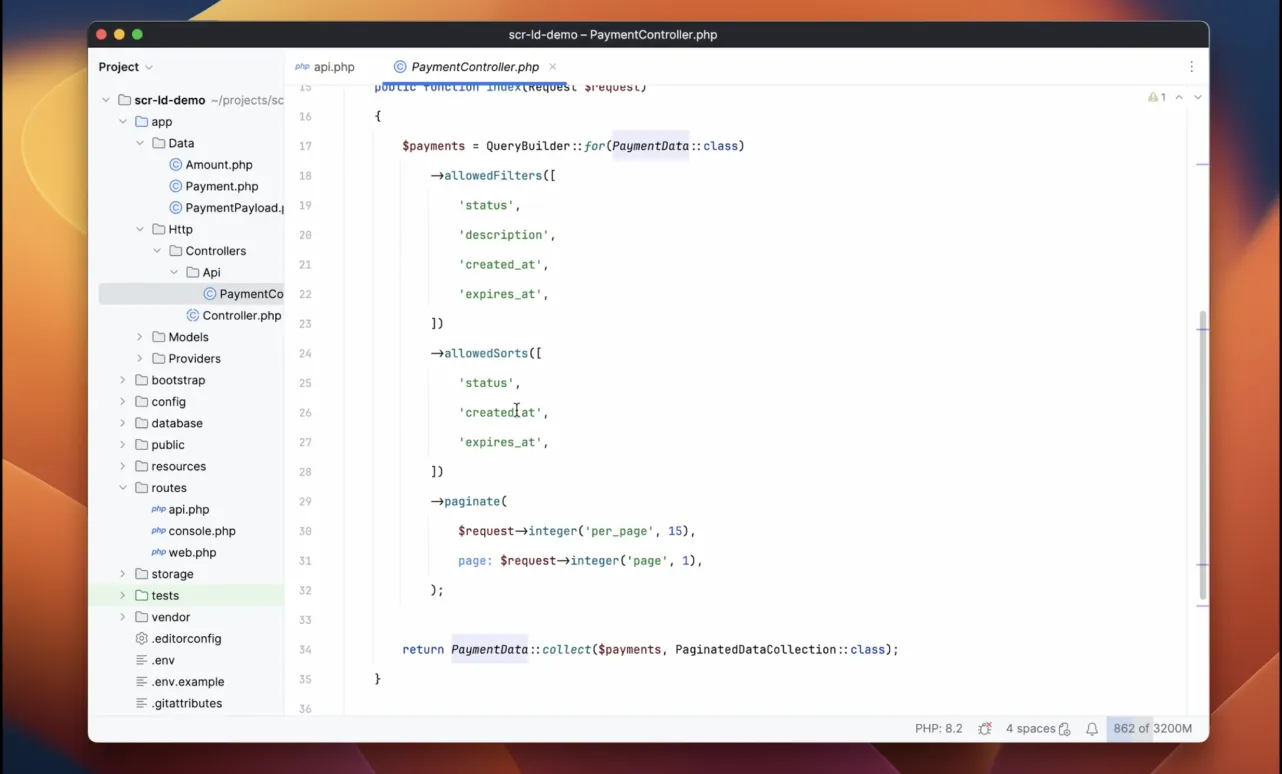
Spatie’s Laravel Query Builder lets API clients filter, sort, select fields, and include Eloquent relationships through query parameters. Scramble PRO generates OpenAPI documentation automatically from the filters, sorts, fields, and includes allowed by your query builder configuration.
Laravel Query Builder support is included in Scramble PRO. After purchasing, you will receive the license key by email.
For Laravel request bodies, route parameters, and other query parameters, see the Laravel OpenAPI request documentation guide.
Installation
Before installing Scramble PRO, make sure to update dedoc/scramble to at least 0.13.47.
Add the private repository to the list of your repositories in composer.json
"repositories": [ { "type": "composer", "url": "https://satis.dedoc.co" }],Now, add the package to the list of your dependencies:
"require": { "dedoc/scramble-pro": "^0.9.17", "dedoc/scramble": "^0.13.47",}And run composer update.
When running composer update, you will be prompted to provide your credentials for the repository website. These credentials will authenticate your Composer session as having permission to download the Scramble PRO source code. To avoid manually typing these credentials, you may create a Composer auth.json file and use your license key in place of the password:
{ "http-basic": { "satis.dedoc.co": { "username": "youremail@company.com", "password": "YOUR-KEY-000000" } }}You may quickly create an auth.json file via your terminal using the following command.
composer config http-basic.satis.dedoc.co \ youremail@company.com \ YOUR-KEY-000000You should not commit your application’s auth.json file into source control!
Usage
If you already configured routes for Scramble, after you install Scramble PRO – you should be all set up. Scramble will generate the query parameters for Laravel Query Builder.
While on this documentation page I use query builders defined directly in controllers, Scramble can document various query builder setups:
- query builders defined in route actions (you’ll see many examples of this throughout the documentation);
- custom query builders that extend the
QueryBuilderclass (learn more); - query builders defined in other methods called within your route actions (useful when following the action pattern, etc.).
Documenting filters
To define filters, use allowedFilters method on a query builder instance.
1use Spatie\QueryBuilder\QueryBuilder;2use App\Models\Company;3
4class CompaniesController extends Controller5{6    public function index()7    {8        $companies = QueryBuilder::for(Company::class)9            ->allowedFilters('name', 'created_at')10            ->get();11
12        // ...13    }14}
Adding description to the filter
Also, you can add more description to a filter by adding comments and PHPDoc annotations. @example annotation can be used to specify examples, @var to specify a type, and @format to specify a format.
1$companies = QueryBuilder::for(Company::class)2 ->allowedFilters(3 /**4 * The name to filter a company by. Multiple values can be passed, separated via `,` (`Nike,Tesla`)5 * @example Tesla6 */7 'name',8 /**9 * The date of the creation of the company.10 * @format date11 */12 'created_at',13 )14 ->get();Documenting sorts
To define allowed sorts, use allowedSorts method on a query builder instance.
When Scramble documents allowed sorts, it will make examples from the allowed values.
1use Spatie\QueryBuilder\QueryBuilder;2use App\Models\Company;3
4class CompaniesController extends Controller5{6    public function index()7    {8        $companies = QueryBuilder::for(Company::class)9            ->allowedSorts('name', 'created_at')10            ->get();11
12        // ...13    }14}
You can use defaultSorts (or defaultSort) method, to specify the default sort. Scramble will document it as well.
1$companies = QueryBuilder::for(Company::class)2 ->allowedSorts('name', 'created_at')3 ->defaultSort('-name')4 ->get();Documenting includes
You can allow including relationships using allowedIncludes method on a query builder.
Scramble support both passing them as a string (including a relationship, count, existence), or passing allowed includes as instances of Spatie\QueryBuilder\AllowedInclude class.
1$companies = QueryBuilder::for(Company::class)2 ->allowedIncludes(3 'jobs',4 AllowedInclude::count('employees_count'),5 )6 ->get();Notice that when you pass a string into allowedIncludes, you will enable 3 possible includes: the relationship you’ve provided, the count of that related items, and their existence.
1use Spatie\QueryBuilder\QueryBuilder;2use App\Models\Company;3
4class CompanyController extends Controller5{6    public function index()7    {8        $companies = QueryBuilder::for(Company::class)9            ->allowedIncludes(10                'jobs',11            )12            ->get();13
14        /* ... */15    }16}
If you want to allow including only the relationship but not its count or existence, use AllowedInclude::relationship method explicitly.
1use Spatie\QueryBuilder\QueryBuilder;2use App\Models\Company;3use Spatie\QueryBuilder\AllowedInclude;4use Spatie\QueryBuilder\Includes\IncludedRelationship;5
6class CompanyController extends Controller7{8    public function index()9    {10        $companies = QueryBuilder::for(Company::class)11            ->allowedIncludes(12                AllowedInclude::relationship('jobs'),13                AllowedInclude::relationship('people'),14            )15            ->get();16
17        /* ... */18    }19}
AllowedInclude::relationship produces a single include only since Laravel Query Builder 7.0. Before 7.0, to allow including only the relationship (but not its count or existence), use a custom AllowedInclude and provide the IncludedRelationship include to it (AllowedInclude::custom('jobs', new IncludedRelationship())).
Documenting fields
You can enable a selection of specific fields using allowedFields method.
You can allow selecting the fields of the model instance being queried, as well as selecting fields of the included relations. When describing allowed fields of the included relations, Scramble will separate it into a different query parameter.
1$companies = QueryBuilder::for(Company::class)2 ->allowedFields('id', 'name', 'jobs.id', 'jobs.title', 'created_at')3 ->get();Custom Query Builder class
When you want to encapsulate the logic in a query class, you can do this by extending Spatie\QueryBuilder\QueryBuilder and configuring your query builder in a constructor.
This approach can be seen in Spatie’s Laravel Query Builder documentation, in a video about building Mailcoach.
Here is the example from this video and the resulting documentation. Here Laravel Query Builder is used for the API request params, and Laravel Data for the response.
1<?php2
3namespace App\Queries;4
5use Spatie\QueryBuilder\AllowedFilter;6use Spatie\QueryBuilder\QueryBuilder;7// ...8
9class EmailListSubscribersQuery extends QueryBuilder10{11    public function __construct(EmailList $list)12    {13        $query = EmailListSubscriber::query()14            ->where('email_list', $list->id);15
16        parent::__construct($query);17
18 $this19 ->allowedSorts('created_at', 'unsubscribed_at', 'email', 'first_name', 'last_name')20 ->allowedFilters(21 /**22 * Fuzzy search subscribers by `email`, `first_name`, `last_name`, and the assigned tags `name`.23 */24 AllowedFilter::custom('search', new FuzzyFilter([25 'email',26 'first_name',27 'last_name',28 'tags.name',29 ]))30 );31 }32}1<?php2
3namespace App\Http\Controllers\Api;4
5use App\Data\EmailListSubscriber;6use App\Queries\EmailListSubscribersQuery;7// ...8
9class EmailListSubscribersController extends Controller10{11 /**12 * Get email list subscribers.13 *14 * List all the email list subscribers.15 */16 public function __invoke(Request $request, EmailList $list)17 {18 $subscribers = (new EmailListSubscribersQuery($list))19 ->paginate($request->integer('per_page', 15));20
21 return EmailListSubscriber::collect($subscribers, PaginatedDataCollection::class);22 }23}