
Fabric UI
Fabric is an API reference UI built for Scramble. It renders the OpenAPI, supports Markdown guides, nested navigation, search, and TypeScript schema examples. And it is fast.
Try Fabric in the Scramble demo or the Scramble PRO demo.
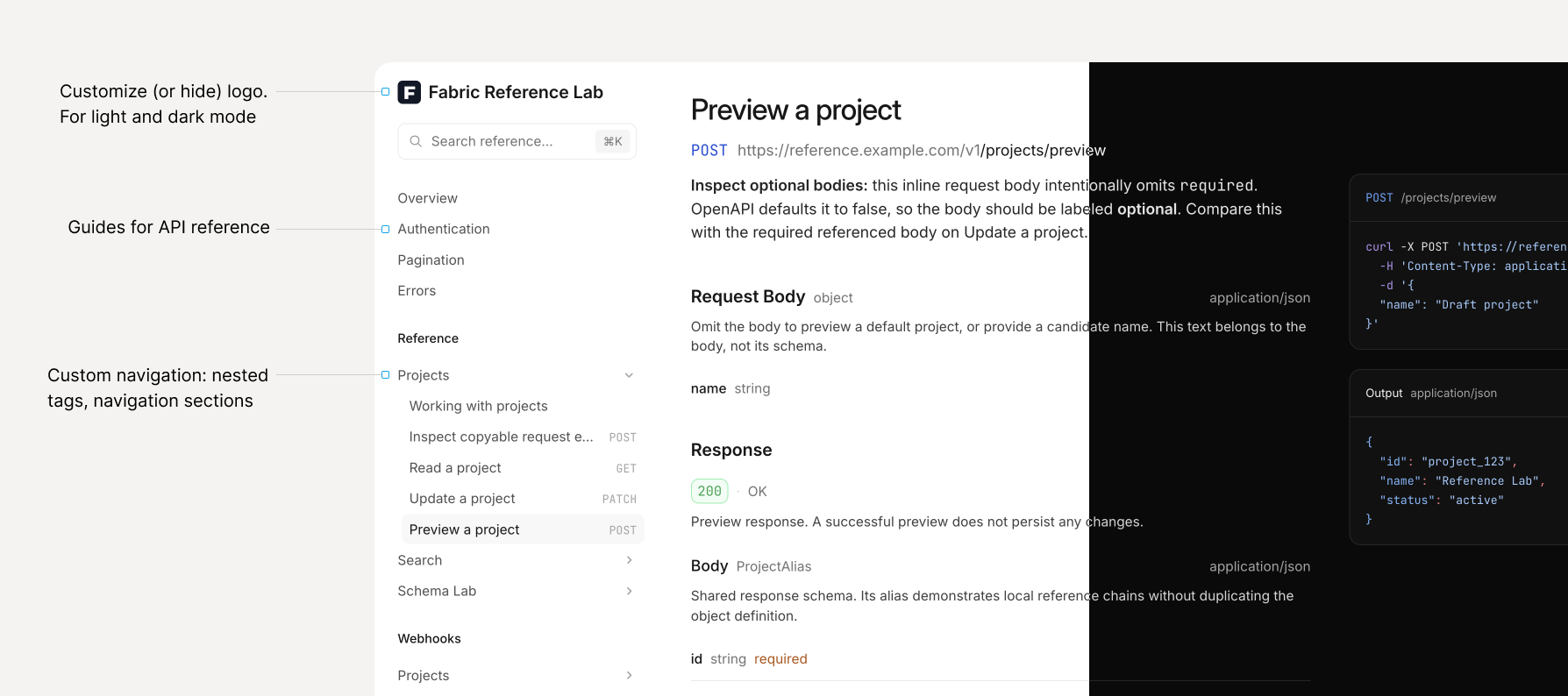
Since I started working on Scramble, I’ve received a lot of requests about the UI: nested navigation, guides, search, etc. Fabric is the API reference UI I’ve always wanted for Scramble.
Fabric is still early. Feedback and feature requests are welcome in the Fabric Discord channel.
Switch to Fabric
Set the renderer in config/scramble.php:
1'renderer' => 'fabric',The documentation at /docs/api will now use Fabric.
Configure Fabric
You can configure Fabric using renderers.fabric in config/scramble.php:
1'renderers' => [2 // Other renderers...3 'fabric' => [4 'view' => 'scramble::fabric',5 'showSchemas' => true,6 'overview' => true,7 'referenceLabel' => true,8 ],9],All three options default to true:
| Option | Behavior when set to false |
|---|---|
showSchemas | Hides schema navigation and links to schema pages. |
overview | Hides the overview page and opens the first guide or endpoint. See Opening a guide first. |
referenceLabel | Hides the “Reference” heading. This is useful when you define your own sections. |
logo | Customize the logo. |
Customize the logo
By default, Fabric uses the OpenAPI document’s info.x-logo when available, falling back to the API title. You can override this using renderers.fabric.logo in config/scramble.php.
For example, the following configuration displays a logo beside the title and links both to your website:
1'renderers' => [2 // Other renderers...3 'fabric' => [4 'view' => 'scramble::fabric',5 'logo' => [6 'title' => 'Commerce API',7 'image' => [8 'src' => '/images/commerce-logo.svg',9 'srcDark' => '/images/commerce-logo-dark.svg',10 'alt' => '',11 'height' => 36,12 ],13 'href' => 'https://example.com',14 'target' => '_blank',15 ],16 ],17],Place the images in your application’s public/images directory. Fabric uses src in light mode and srcDark in dark mode. When srcDark is omitted, the same image is used for both themes.
| Option | Behavior |
|---|---|
title | Text displayed beside the image, or on its own when no image is configured. |
image.src | URL of the logo image. |
image.srcDark | Image URL for dark mode. Defaults to image.src. |
image.alt | Alternative text for the image. Use an empty string when the visible title already names the brand; supply the brand name for an image-only logo. |
image.height | Displayed height in pixels. Defaults to 36; the image keeps its aspect ratio. |
href | Where clicking the logo takes readers. Omit it to link to the API’s default page, or set it to false to disable the link. |
target | Link target: _self by default, or _blank to open a new tab. |
Title and image
To display only a title, omit image:
1'logo' => ['title' => 'Commerce API'],For an image-only logo, omit title and provide descriptive image.alt text. If the image cannot load, Fabric displays the configured title, falling back to the API title when no title is set.
Hiding the logo
To hide both the title and image, set logo to false:
1'logo' => false,Defaults and URL resolution
Configuring logo replaces the document’s branding rather than merging with it. Image and link paths in this configuration resolve relative to the documentation page URL. Root-relative paths such as /images/commerce-logo.svg work regardless of the documentation route. Only HTTP(S) image and link URLs are supported.
When using info.x-logo, image and link paths resolve relative to the specification URL.