
Navigation
Fabric uses OpenAPI tags to group endpoints in the sidebar. You can nest groups and display them under sections. Guides can be placed inside these groups as well.
Basic groups work with OpenAPI 3.1. Deep nesting and sections require OpenAPI 3.2, as described below.
Group endpoints
Scramble groups endpoints by controller by default. Use the Group attribute on a controller or controller method to choose a name:
1use Dedoc\Scramble\Attributes\Group;2
3#[Group('Products', weight: 1)]4class ProductController5{6    // ...7}8
9#[Group('Categories', weight: 2)]10class CategoryController11{12    // ...13}
Each group is a collapsible folder. Use weight to control group order; smaller weights appear first. See Grouping endpoints for more details.
Nest groups
To use nested groups, enable OpenAPI 3.2 in config/scramble.php:
1'openapi_version' => \Dedoc\Scramble\OpenApiVersion::V3_2,You can place a group inside another group using the parent parameter of the Group attribute. For example, Products and Categories can share a Catalog parent:
1use Dedoc\Scramble\Attributes\Group;2
3#[Group('Products', weight: 1, parent: 'Catalog')]4class ProductController5{6    // ...7}8
9#[Group('Categories', weight: 2, parent: 'Catalog')]10class CategoryController11{12    // ...13}
Fabric displays Catalog as a folder with Products and Categories inside it. Scramble creates a missing parent tag automatically.
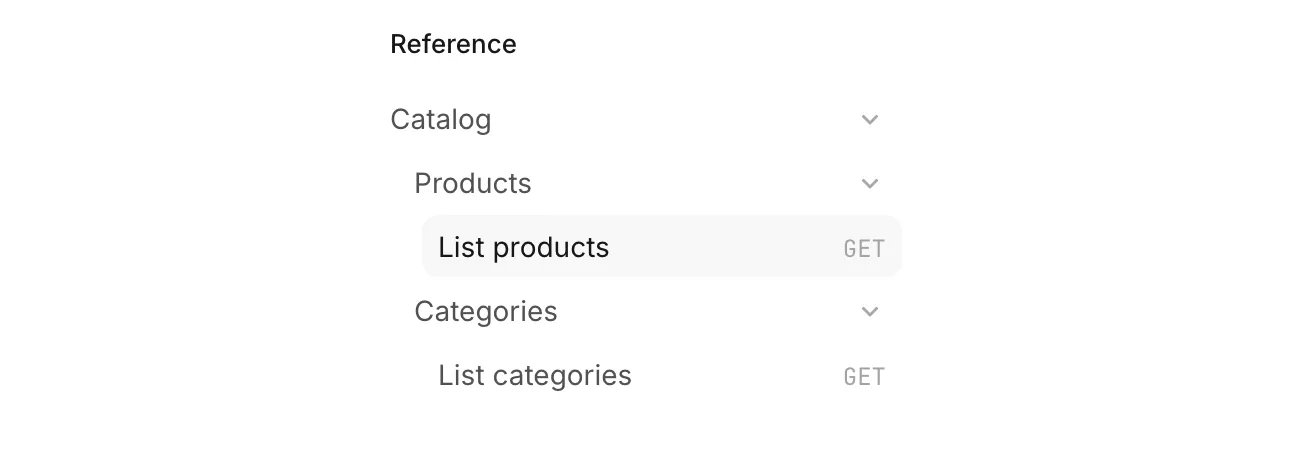
Defining parent groups
You can declare tags explicitly using withTags() in a service provider’s boot method. This is useful when a parent group needs its own configuration or when you need more levels of nesting:
1use Dedoc\Scramble\Scramble;2use Dedoc\Scramble\Support\Generator\Tag;3
4Scramble::configure()->withTags([5    new Tag(name: 'Commerce'),6    new Tag(name: 'Catalog', parent: 'Commerce'),7    new Tag(name: 'Products', parent: 'Catalog'),8    new Tag(name: 'Categories', parent: 'Catalog'),9]);
For endpoints tagged Products or Categories, this configuration produces the following sidebar:
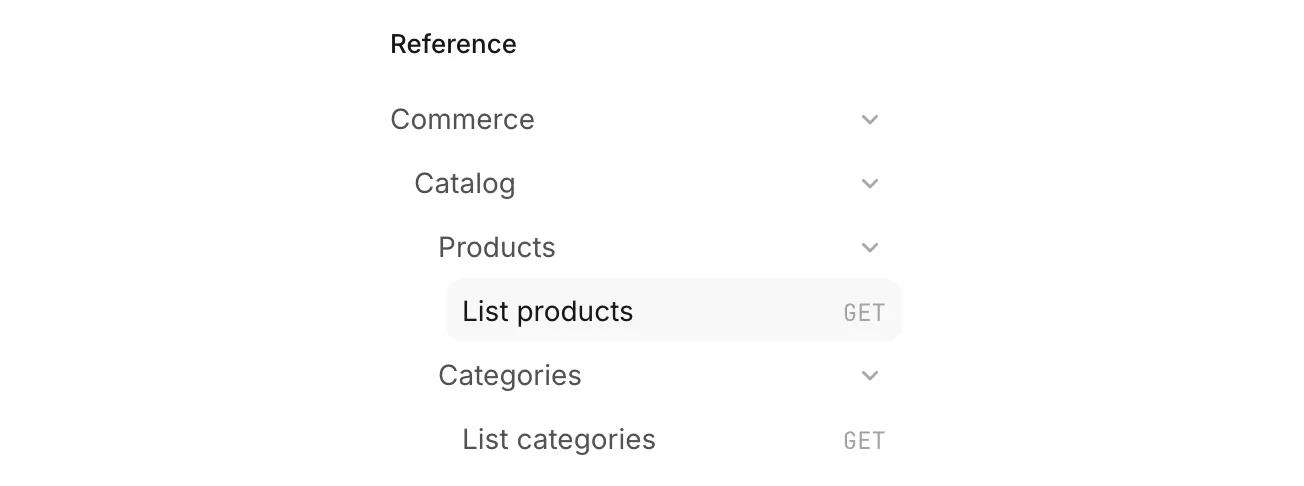
Parent relationships use the exact tag name. A tag’s optional summary supplies its display label without changing that name.
OpenAPI 3.2 preserves these parent relationships and supports deep nesting. When generating OpenAPI 3.1, Scramble exports parent groups through x-tagGroups, which provides a more limited grouping structure.
Create sections
Sections require OpenAPI 3.2. Set a tag’s kind to nav-section to display it as an always-visible heading instead of a collapsible folder. Its endpoints and child groups appear beneath the heading without an extra level of indentation.
For example, add kind: 'nav-section' to the Commerce tag in your service provider’s boot method. The other tags remain unchanged:
1use Dedoc\Scramble\Scramble;2use Dedoc\Scramble\Support\Generator\Tag;3
4Scramble::configure()->withTags([5    new Tag(name: 'Commerce', kind: 'nav-section'),6    new Tag(name: 'Catalog', parent: 'Commerce'),7    new Tag(name: 'Products', parent: 'Catalog'),8    new Tag(name: 'Categories', parent: 'Catalog'),9]);
Commerce is now a heading, and Catalog remains a collapsible folder:
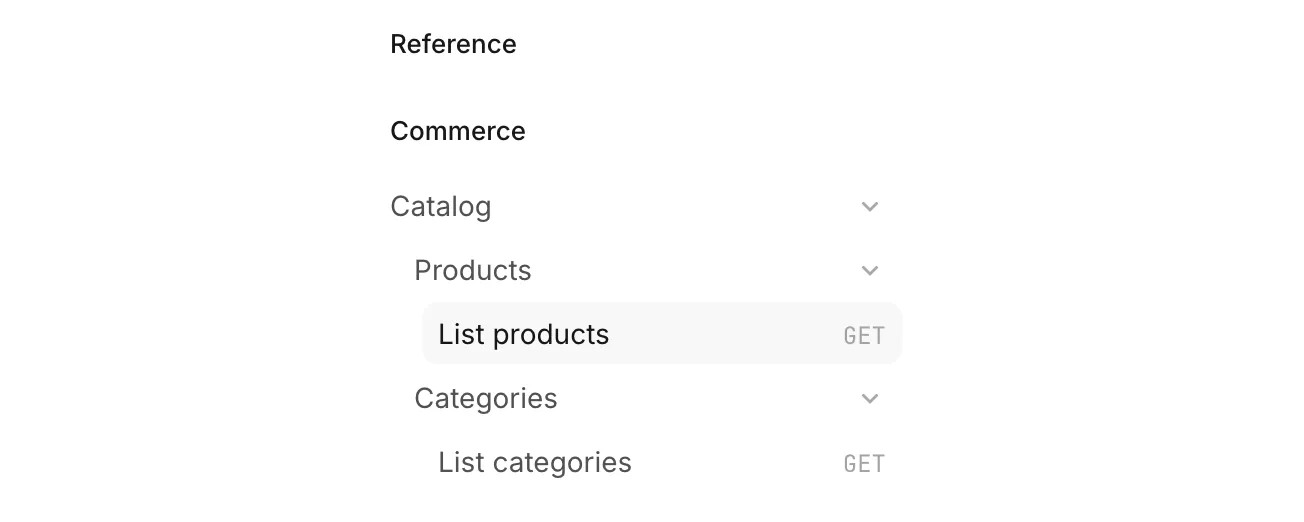
Use a section for a major API area readers should always see; use a folder when they should be able to collapse its contents. You can also set kind: 'nav-section' on a Group attribute when the section itself has endpoints.
Hiding the Reference heading
By default, Fabric displays a “Reference” heading above the endpoint navigation. If your sections already provide the headings you need, you can hide it by setting renderers.fabric.referenceLabel to false in config/scramble.php:
1'renderers' => [2 // Other renderers...3 'fabric' => [4 'view' => 'scramble::fabric',5 'referenceLabel' => false,6 ],7],This option hides only that heading. Your groups, Webhooks, and Schemas remain available.
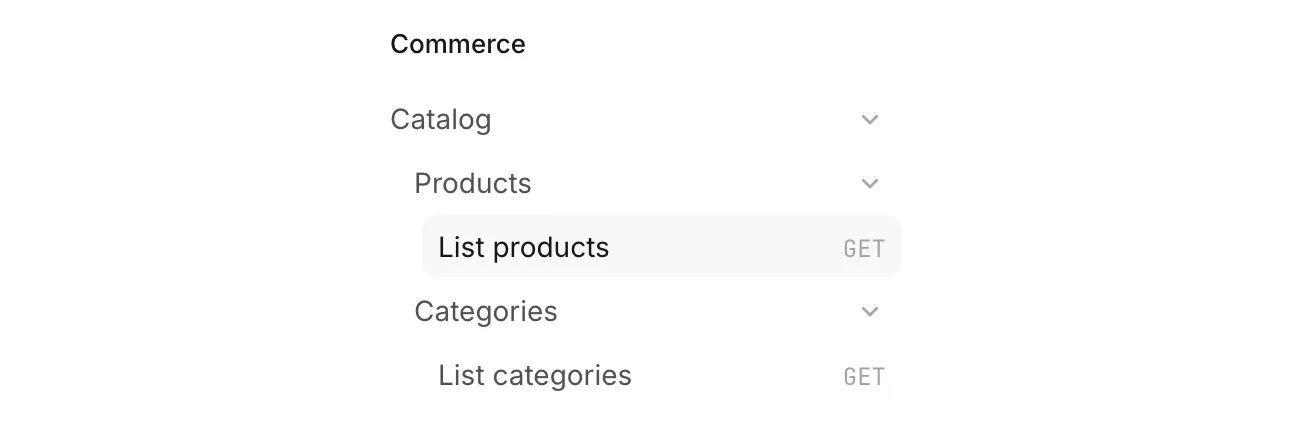
Adding guides to groups
You can place a guide before the endpoints in a group. For example, a Working with products guide can appear inside Products:

See Placing a guide next to endpoints for configuration details.